

Go Paperless with eStatements!
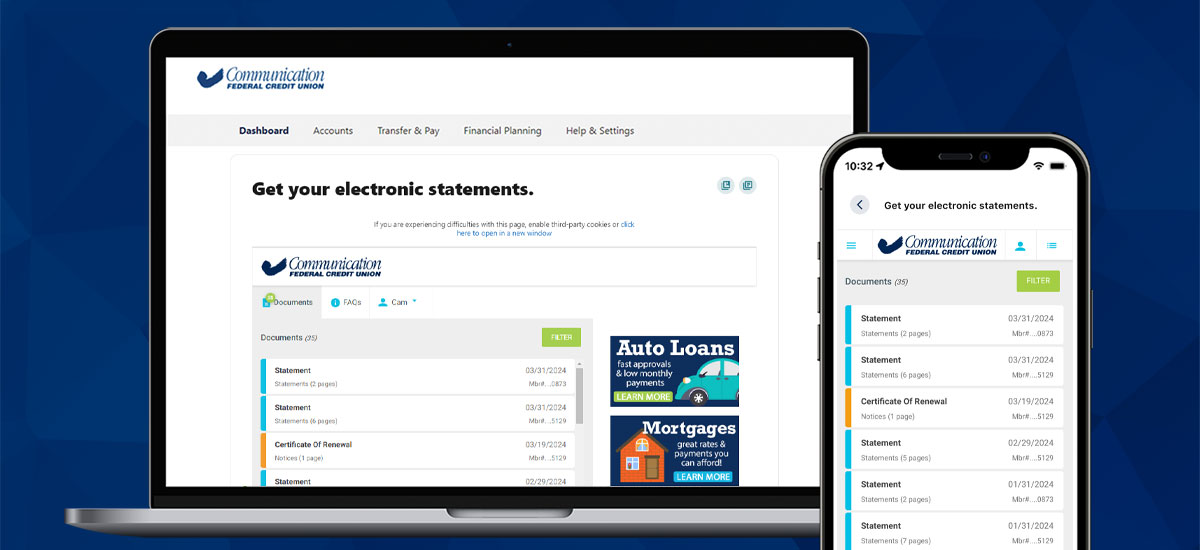
Switching to eStatements will give you instant access to the past 18 months of account statements online, conveniently and securely. No more envelopes sitting in your mailbox or taking up space on the kitchen counter. You’ll receive email and/or text message notifications when you have new statements or documents available.
It’s Easy to Access eStatements
- Sign in to Online Banking or the CFCU Mobile app.
- From the menu, select Accounts > eStatements & Documents.
- Verify your email address and/or phone number.
- Access up to 18 months of account statements and notices conveniently and securely.
eStatements FAQ
How do I enroll in eStatements?
Log in to Online Banking or the CFCU mobile app, navigate to Accounts > eStatements & Documents, and follow the prompts to verify your contact information and select electronic delivery.
How far back do eStatements go?
You can access up to 18 months of statements and notices through digital banking, giving you a convenient way to review your account history anytime.
How do I download or print my statements?
Once you open a statement in Online Banking, you can download it as a PDF or print it, by selecting the print icon, for your records. eStatements are designed to be easy to save, share, or print whenever needed.
What are the benefits of going paperless?
Going paperless means faster access to your statements, reduced risk of mail fraud, less clutter, and the ability to view, download, or print documents anytime, all while helping the environment by reducing paper use.